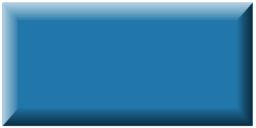
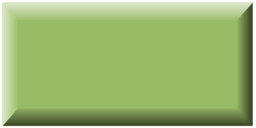
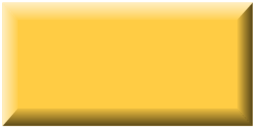
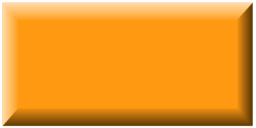
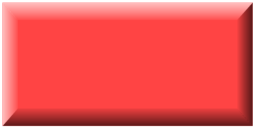
Ara farem que els totxos siguin sprites. Això ens permetrà fer servir un fitxer gràfic i així cada totxo no serà un simple rectangle sinó que li podrem donar l'aspecte que vulguem.
El primer que necessitem és els fitxers amb la imatge dels totxos. Si tenim cinc colors de totxo, ens caldran cinc imatges. Aquestes són les imatges que farem servir, amb el fons transparent. És important que l'objecte, en aquest cas el totxo, ocupi quasi tot el rectamgle gràfic i escollir un detector de col·lisions apropiat; en cas contrari les col·lisions es veuran estranyes. En aquest cas, ens cal un detector rectangular.
Per baixar-les, pots picar sobre cada imatge amb el botó dret i guardar-la a l'ordinador.
Ara hem de modificar el fitxer totxo.dart per eliminar les coses específiques del RectangleComponent i substituir-les per les de l'sprite. Hi haurà importacions que ja no necessitarem.
totxo.dart
import 'package:flame/collisions.dart';
import 'package:flame/components.dart';
//import 'package:flutter/material.dart';
import 'package:joc_breakout/breakout.dart';
import 'package:joc_breakout/config.dart';
import 'bola.dart';
import 'pala.dart';
//class Totxo extends RectangleComponent
class Totxo extends SpriteComponent
    with CollisionCallbacks, HasGameReference<Breakout> {
  // Ara demanem el nom del fitxer de la imatge en lloc del Color
  //Totxo({required super.position, required Color color})
  Totxo({required super.position, required this.imatge})
    : super(
        size: Vector2(brickWidth, brickHeight),
        anchor: Anchor.center,
        //paint: Paint()
          //..color = color
          //..style = PaintingStyle.fill,
        // Eliminem el detector de col·lisions, perquè ara va a un altre lloc
        //children: [RectangleHitbox()],
      );

  // Afegim la variable per al nom de la imatge
  final String imatge;

  // En carregar l'sprite, definim el fitxer i el detector de col·lisions
  @override
  Future<void> onLoad() async {
    super.onLoad();
    // Carrega l'sprite rebut pel constructor
    sprite = await game.loadSprite(imatge);
    // Afegim la caixa de col·lisions
    add(RectangleHitbox());
  }

  @override
  void onCollisionStart(
    Set<Vector2> intersectionPoints,
    PositionComponent other,
  ) {
    super.onCollisionStart(intersectionPoints, other);
    removeFromParent();
    game.punts.value++;
    // Mira si era el darrer totxo
    if (game.world.children.query<Totxo>().length == 1) {
      game.playState = PlayState.guanya;
      game.world.removeAll(game.world.children.query<Bola>());
      game.world.removeAll(game.world.children.query<Pala>());
    }
  }
}
En el fitxer de definició del joc (breakout.dart) hem de definir una llista amb les imatges que farem servir i modificar els bucles per treballar amb imatges en lloc de colors.
breakout.dart
import 'dart:async';
import 'dart:math' as math;
import 'package:flame/components.dart';
import 'package:flame/events.dart';
import 'package:flame/game.dart';
import 'package:flutter/material.dart';
import 'package:flutter/services.dart';
import 'package:joc_breakout/core/colors.dart';
import 'components/components.dart';
import 'config.dart';
enum PlayState {inici, jugant, fi, guanya}

// Fem una llista amb les imatges dels totxos
final llistaImatgesTotxos = [
  'totxo_blau.png',
  'totxo_verd.png',
  'totxo_groc.png',
  'totxo_taronja.png',
  'totxo_roig.png',
];

class Breakout extends FlameGame
    with HasCollisionDetection, KeyboardEvents, TapCallbacks {
  Breakout()
    : super(
        camera: CameraComponent.withFixedResolution(
          width: gameWidth,
          height: gameHeight,
        ),
      );

  final ValueNotifier<int> punts = ValueNotifier(0);
  final rand = math.Random();  // Generador de valors aleatoris
  double get width => size.x;
  double get height => size.y;
  late PlayState _playState;
  PlayState get playState => _playState;
  set playState(PlayState playState) {
    _playState = playState;
    switch (playState) {
      case PlayState.inici:
      case PlayState.fi:
      case PlayState.guanya:
        overlays.add(playState.name);
      case PlayState.jugant:
        overlays.remove(PlayState.inici.name);
        overlays.remove(PlayState.fi.name);
        overlays.remove(PlayState.guanya.name);
    }
  }

  @override
  FutureOr<void> onLoad() async {
    super.onLoad();
    camera.viewfinder.anchor = Anchor.topLeft;
    world.add(PlayArea());
    playState = PlayState.inici;
  }

  void startGame() {
    if (playState == PlayState.jugant) return;
    world.removeAll(world.children.query<Bola>());
    world.removeAll(world.children.query<Pala>());
    world.removeAll(world.children.query<Totxo>());
    playState = PlayState.jugant;
    punts.value = 0;
    world.add(Bola(
      factorDificultat: factorDif,
      radius: ballRadius,
      position: size / 2,  // Centre de l'àrea de joc
      velocity: Vector2(
        (rand.nextDouble() - 0.5) * width,
        height * 0.2,
      ).normalized()..scale(height / 4),
    ));
    world.add(
      Pala(
        size: Vector2(batWidth, batHeight),
        //cornerRadius: const Radius.circular(ballRadius / 2),
        position: Vector2(width / 2, height * 0.95),
      ),
    );
    // Afegim els totxos amb dos bucles
    world.addAll([
      for (var i = 0; i < numTotxosFilera; i++)
        //for (var j = 0; j < ColorsApp.colorsTotxos.length; j++)
        for (var j = 0; j < llistaImatgesTotxos.length; j++)
          Totxo(
            position: Vector2(
              (i + 0.5) * brickWidth + (i + 1) * juntaTotxos,
              (j + 1 + 2.0) * brickHeight + (j + 1) * juntaTotxos,
            ),
            //color: ColorsApp.colorsTotxos[j],
            // Passem el nom del fitxer que correspon a la fila j
            imatge: llistaImatgesTotxos[j],
          ),
    ]);
  }

  @override
  void onTapDown(TapDownEvent event) {
    super.onTapDown(event);
    startGame();
  }

  @override
  KeyEventResult onKeyEvent(
    KeyEvent event,
    Set<LogicalKeyboardKey> keysPressed,
  ) {
    super.onKeyEvent(event, keysPressed);
    switch (event.logicalKey) {
      case LogicalKeyboardKey.arrowLeft:
        world.children.query<Pala>().first.moveBy(-batStep);
      case LogicalKeyboardKey.arrowRight:
        world.children.query<Pala>().first.moveBy(batStep);
      case LogicalKeyboardKey.space:
      case LogicalKeyboardKey.enter:
        startGame();
    }
    return KeyEventResult.handled;
  }

  @override
  Color backgroundColor() => ColorsApp.fons;
}
Ara en el fitxer colors.dart podem eliminar la llista dels colors dels totxos; encara que, si no ho fem, no afecta al funcionament del joc.
Quan executem aquest programa veurem que ara els totxos tenen un aspecte diferent.

Aquesta obra d'Oriol Boix està llicenciada sota una llicència no importada Reconeixement-NoComercial-SenseObraDerivada 3.0.